Fresh ideas from museums around the globe in your inbox each week

Editorial update, 10 October 2026: platform comparisons, email measurement and UK compliance guidance have been revised. Original 2020 screenshots and charts are retained below as historical illustrations, not current product or timing instructions.
Choose the job your museum email should do
Email gives museums a way to keep in touch with people who want to hear from them. A useful message can help someone choose an exhibition, prepare for a visit or find a reason to return. Start with that job, then decide what the reader needs and which action the message should support.
Map a simple journey: permission and preferences, a welcome email, a relevant exhibition or family-programme invitation, booking, practical pre-visit information and a later return-visit or membership invitation. Keep service messages about an existing booking distinct from marketing, and check the permission needed before adding promotional content.
Choose a platform for your list and ticketing setup
The original guide compared Constant Contact, Mailchimp, SendinBlue, now Brevo, and Moosend. Its 2020 prices and free-plan limits are no longer a reliable basis for choosing a service. Check the current plan against your museum’s requirements before committing.
- Count both contacts and planned sends, including seasonal peaks.
- Check how consent records, preferences and unsubscribes move between the platform, ticketing system and CRM.
- Test accessible templates on mobile, including readable text, descriptive links and images with appropriate alternatives.
- Check approval workflows, staff permissions, support and the ability to export your data.
- Cost the whole workflow, including integrations and staff time, rather than comparing headline prices alone.
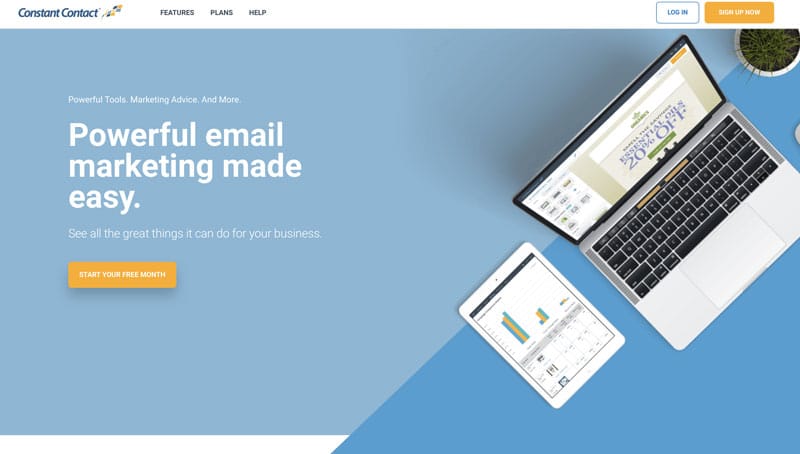
Historical Constant Contact illustration from the original 2020 article. Assess today’s editor and plan with a sample museum message; this image does not establish current features or prices.

Historical Mailchimp template illustration from the original 2020 article. The useful principle is to test whether staff can build a clear, accessible message and maintain the museum’s branding.
A visual editor may make routine production easier for colleagues without coding skills. Ask those colleagues to make an actual exhibition email during a trial. Check whether they can change headings, preview the mobile layout, add useful alternative text and send a test without breaking the template. Brand consistency should make the message recognisable while leaving the content easy to read.
Build a list people want to join
Explain what subscribers will receive and roughly how often. Invite staff, trustees, partners, volunteers and visitors to sign up if interested; knowing their address is not permission to add them to a marketing list. Promote the signup page through suitable public channels and at appropriate points in the visitor journey.
Keep forms short and understandable. Offer relevant choices, such as family activities, exhibitions or research news, without demanding unnecessary personal information. Use a clear privacy notice and an easy unsubscribe route. A signup form should not repeatedly block visit information or pressure someone who declines.
UK email marketing: check PECR and UK GDPR
In the UK, unsolicited marketing emails to individual subscribers generally require consent or a valid soft opt-in under PECR. UK GDPR also applies when processing personal data. Keep evidence of the route you rely on and honour objections and withdrawals.
The charitable-purpose soft opt-in began on 5 February 2026. It is conditional: the organisation must qualify as a charity, collect the details directly on or after that date during an expression of interest in or support for its charitable purposes, use the marketing solely to further those purposes, and provide an opt-out at collection and in each message. It does not authorise importing every historic donor or ticket buyer. The products-and-services soft opt-in has different conditions.
Have your data-protection lead or qualified adviser review the relevant collection forms, records and messages against the ICO’s current electronic-mail guidance. This is a UK overview, not clearance for a particular list; museums elsewhere should check their local rules.
Send a useful welcome and segment by interest
A welcome message can confirm what someone signed up for, point to useful visit information and explain how to change preferences. To understand your museum’s audiences, combine stated interests with appropriate research rather than relying on inferred demographics.
An exhibition email works best when the next step is obvious. Give readers the dates, the reason to visit and a direct link to the relevant booking page. A family who opted into school-holiday updates should receive a different invitation from someone following your research programme. Test those messages against useful actions, such as completed bookings or programme registrations. Opens can help describe a trend, but privacy features and automated activity mean they cannot tell you reliably who read the email.
Write a clear museum call to action, such as “Book the family workshop”, with the age range, price and important conditions nearby. Make the destination fulfil the promise. Use urgency only when there is a genuine deadline or verified availability.
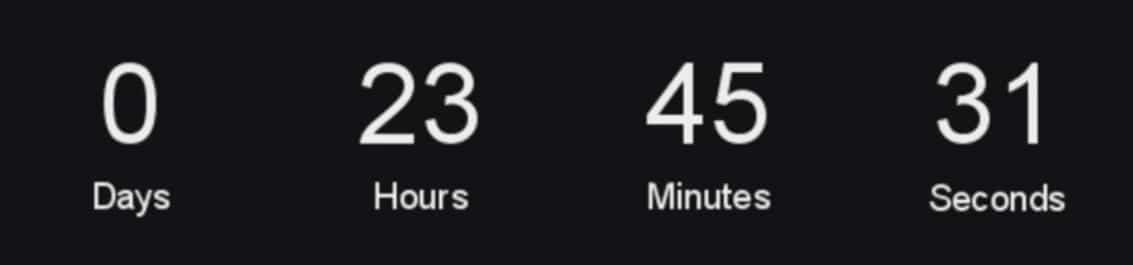
The author’s original 2020 review observed: “Moosend has some really nice features that I’ve not seen elsewhere, like countdown emails.” This is retained as historical experience, not a claim about the current feature set or other providers.
Historical countdown-email illustration from the original article. Only use a countdown tied to a real deadline, and put the deadline in readable text as well.
Test messages and timing against museum outcomes
Scheduling can save time, but there is no universal best day or hour for every museum audience. Test comparable groups and keep the offer, audience and measurement period as similar as possible. Decide in advance whether the useful outcome is a booking, registration or engagement with a specific resource. Avoid changing several things at once and attributing the result to send time.
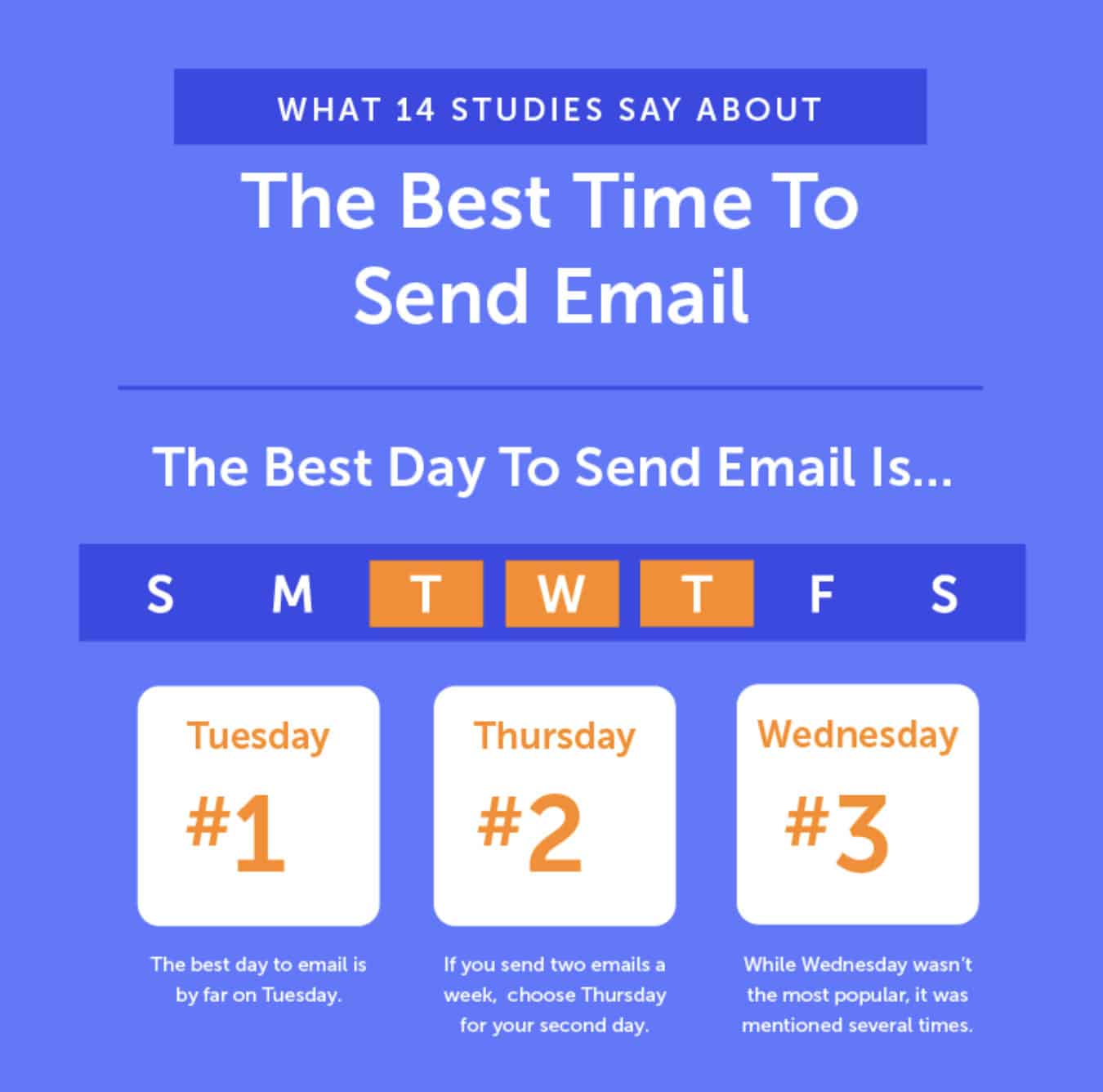
Historical send-day chart reproduced in the original 2020 guide. Its generalised weekday pattern is not a rule for your museum or evidence of your subscribers’ preferences.
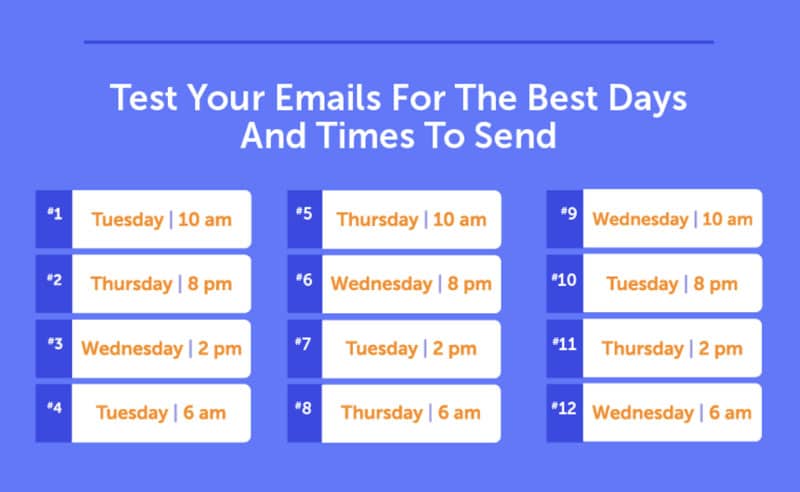
Historical send-time chart reproduced in the original 2020 guide. Treat timing suggestions as hypotheses to test; a morning newsletter and an evening-event reminder may serve different needs.
Measure bookings, clicks and unsubscribes
Apple Mail Privacy Protection can preload tracking pixels and obscure information such as location, inflating reported opens. Other automated activity can affect clicks too. Read your provider’s explanations of Mail Privacy Protection and bot filtering before interpreting changes in campaign reports.
Use completed bookings or registrations, unsubscribe rates and bot-filtered click trends alongside replies and visitor feedback. Do not infer that a particular person read a message from an open alone. Add consistent campaign tags to links and measure website and booking actions, including any handover to an external ticketing service.
Review the results after a suitable period, record what you changed and decide what to test next. A smaller list receiving relevant messages can be more useful than a larger list whose expectations you do not understand.
–
MuseumNext offer online learning for museum professionals striving for engaging, relevant and flexible professional growth content. Learn more about our virtual museum conferences here.